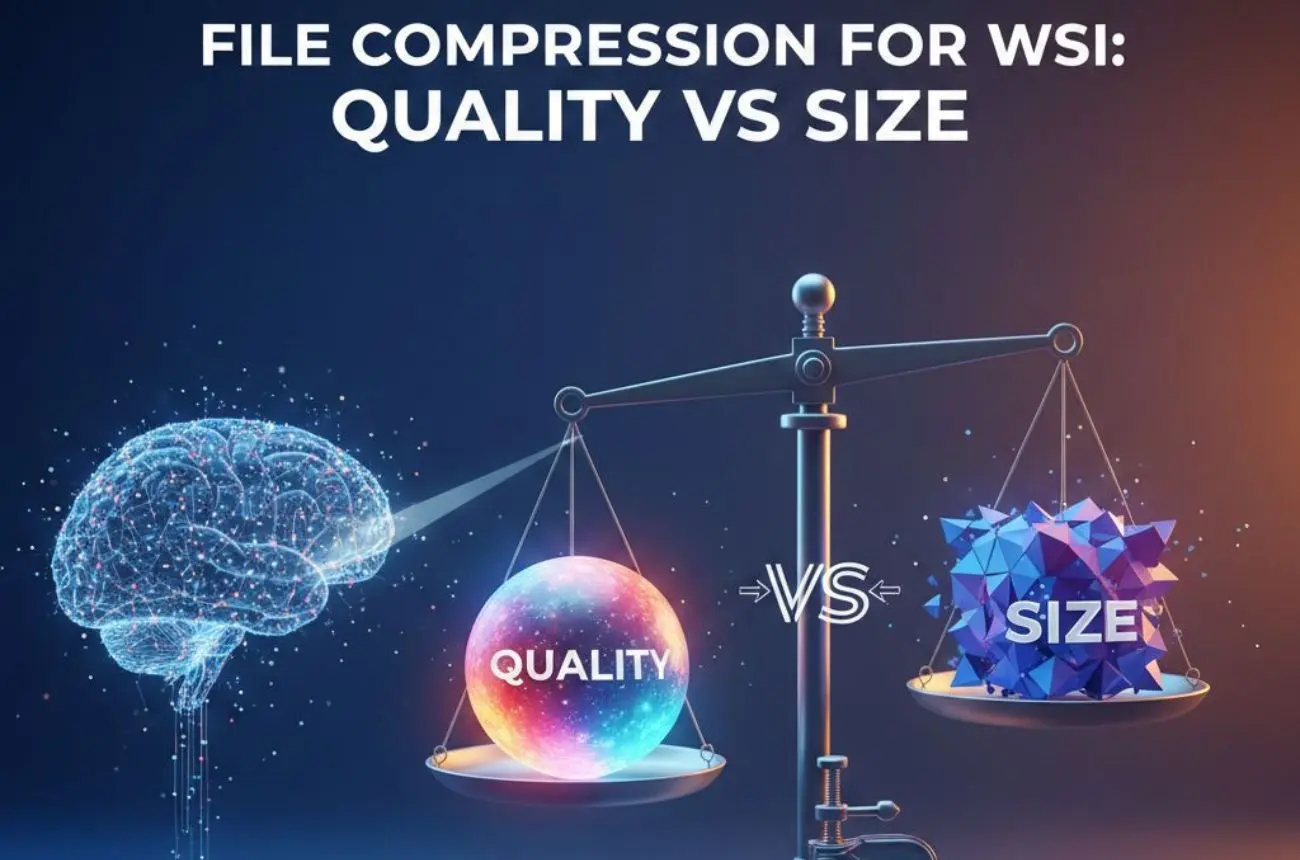
File Compression for WSI: Quality vs Size

Learn how file compression impacts WSI quality and storage size, why it matters for digital pathology scanners, and how Morphle Labs helps labs balance both.
4 mins

File Compression for WSI: Quality vs Size

TL;DR

Whole Slide Imaging (WSI) files are massive, often reaching several gigabytes per slide. File compression is essential to make digital pathology scalable; but it introduces a critical trade-off between image quality and storage efficiency. This blog explains how compression works in WSI, what technical factors influence outcomes, and how choosing the right Digital pathology scanner and compression strategy impacts diagnostics, storage costs, and future AI readiness.

What You’ll Learn

  • Why WSI files are so large

  • How compression methods affect image quality

  • The role of scanners in compression efficiency

  • Benefits and limitations of compressed WSI files

  • What labs should consider when selecting compression settings

  • How Morphle Labs approaches quality-first compression

Definitions: Understanding the Basics

Whole Slide Imaging (WSI)

The process of digitizing an entire glass slide at high resolution, producing a multi-layered digital file that allows zooming and navigation similar to a microscope.

File Compression

A method of reducing file size by encoding image data more efficiently. In WSI, this is essential to manage storage, transmission, and long-term archiving.

Digital Pathology Scanner

A system that captures glass slides and converts them into WSI files. The scanner’s optics, camera, and software directly influence how well images compress without losing diagnostic detail.

Why WSI Files Are So Large

A single scanned histology slide can contain billions of pixels. High magnification, multiple focal planes, and color depth all contribute to file size. In Slide Scanner Histology workflows, daily scanning volumes can quickly translate into terabytes of data.

Without compression, WSI would be impractical for routine diagnostics, remote consultation, or AI analysis. Compression is not optional; it is foundational.

Where Compression Fits in the Workflow

Compression occurs immediately after image acquisition during Whole Slide Scanning. The workflow typically follows:

  1. Slide digitization using a Digital pathology scanner
  2. Image tiling and pyramid generation
  3. Compression of image tiles
  4. Storage, viewing, and optional cloud transfer

The key point: compression quality is determined at scan time. Poor choices cannot be easily reversed later.

Technical Factors That Define Compression Quality

Lossless vs. Lossy Compression

  • Lossless compression preserves all original image data but achieves limited size reduction.

  • Lossy compression removes visually redundant data to significantly reduce file size—but may introduce artifacts.

Most clinical labs use carefully tuned lossy compression that balances size reduction with diagnostic safety.

Compression Algorithms

Common formats such as JPEG and JPEG2000 dominate WSI. JPEG2000, in particular, is favored for its scalability and region-based decoding, making it well-suited for Whole slide scanner workflows.

Scanner Image Quality

Compression can only preserve what is captured. A low-quality scan compressed aggressively magnifies artifacts. A high-quality scan from a well-designed Digital pathology scanner retains diagnostic clarity even at smaller file sizes.

This is where scanner optics, focus accuracy, and color fidelity become critical.

Magnification and Resolution

Higher magnification dramatically increases file size. Labs must align compression settings with actual diagnostic requirements rather than defaulting to maximum resolution.

Benefits vs. Limitations of WSI Compression

Benefits

  • Dramatic reduction in storage requirements

  • Faster slide loading and viewing

  • Easier remote sharing and telepathology

  • Lower infrastructure and cloud costs

Compression also indirectly impacts Digital Pathology Scanner price, as long-term storage and network costs often exceed initial hardware investment.

Limitations

  • Over-compression can obscure fine histological details

  • Compression artifacts may affect AI algorithm performance

  • Regulatory validation is required for diagnostic use

  • One-size-fits-all compression does not work across stains and tissue types

Compression must be intentional, validated, and scanner-aware.

Compliance and Diagnostic Safety

Regulatory bodies require that compressed WSI images be validated for primary diagnosis. This includes demonstrating that compression does not alter diagnostic outcomes.

Scanner vendors and labs must support:

  • Consistent compression settings

  • Auditability and traceability

  • Validation documentation

  • Secure data handling

Compression is not just a technical choice; it is a clinical responsibility.

Practical Applications of Optimized Compression

Proper compression enables:

  • Routine primary diagnosis using digital slides

  • Efficient telepathology across regions

  • Large-scale research studies

  • AI training and inference at scale

  • Long-term archival without exploding storage costs

In high-volume labs using an Automated microscope slide scanner, optimized compression is often the difference between a sustainable and an unmanageable digital workflow.

Buying Guide: What Labs Should Evaluate

When assessing compression capabilities, labs should ask:

  • Does the scanner allow configurable compression settings?

  • Is image quality preserved across common stains?

  • How does compression affect AI compatibility?

  • Are files compatible with third-party viewers?

  • What are the downstream storage and network implications?

Choosing a Digital pathology scanner without understanding its compression pipeline can lock labs into costly compromises later.

Future Trends in WSI Compression

The next generation of compression will be smarter and context-aware:

  • AI-assisted compression that preserves diagnostically relevant regions

  • Adaptive compression based on tissue type

  • Better standardization across vendors

  • Improved interoperability for multi-site workflows

Compression will evolve from static settings to intelligent optimization.

Where Morphle Labs Fits In

Morphle Labs designs its digital pathology scanners with a quality-first approach to compression. By focusing on high-fidelity image acquisition, Morphle enables efficient compression without sacrificing diagnostic confidence.

Rather than forcing labs to choose between quality and size, Morphle Labs emphasizes balanced compression strategies that support routine diagnostics, research, and future AI workflows; while keeping infrastructure costs predictable.

File compression is not just about saving storage; it directly impacts diagnostic quality, workflow efficiency, and long-term scalability.

If you’re evaluating digital pathology adoption or optimizing your existing setup, start by understanding how your Digital pathology scanner handles compression.
Explore how Morphle Labs can help you strike the right balance between WSI quality and file size; without compromise.

Learn more about digital pathology and various usecases

Read More
Contact Us
Afghanistan (+93)
Albania (+355)
Algeria (+213)
American Samoa (+1-684)
Andorra (+376)
Angola (+244)
Anguilla (+1-264)
Antarctica (+672)
Antigua and Barbuda (+1-268)
Argentina (+54)
Armenia (+374)
Aruba (+297)
Australia (+61)
Austria (+43)
Azerbaijan (+994)
Bahamas (+1-242)
Bahrain (+973)
Bangladesh (+880)
Barbados (+1-246)
Belarus (+375)
Belgium (+32)
Belize (+501)
Benin (+229)
Bermuda (+1-441)
Bhutan (+975)
Bolivia (+591)
Bosnia and Herzegovina (+387)
Botswana (+267)
Brazil (+55)
British Indian Ocean Territory (+246)
Brunei (+673)
Bulgaria (+359)
Burkina Faso (+226)
Burundi (+257)
Cambodia (+855)
Cameroon (+237)
Canada (+1)
Cape Verde (+238)
Cayman Islands (+1-345)
Central African Republic (+236)
Chad (+235)
Chile (+56)
China (+86)
Christmas Island (+53)
Cocos Islands (+61)
Colombia (+57)
Comoros (+269)
Congo (DRC) (+243)
Congo (Republic) (+242)
Cook Islands (+682)
Costa Rica (+506)
Cote D'Ivoire (+225)
Croatia (+385)
Cuba (+53)
Cyprus (+357)
Czech Republic (+420)
Denmark (+45)
Djibouti (+253)
Dominica (+1-767)
Dominican Republic (+1-809 and +1-829  )
East Timor (+670)
Ecuador (+593 )
Egypt (+20)
El Salvador (+503)
Equatorial Guinea (+240)
Eritrea (+291)
Estonia (+372)
Ethiopia (+251)
Falkland Islands (+500)
Faroe Islands (+298)
Fiji (+679)
Finland (+358)
France (+33)
French Guiana (+594)
French Polynesia (+689)
Gabon (+241)
Gambia (+220)
Georgia (+995)
Germany (+49)
Ghana (+233)
Gibraltar (+350)
Greece (+30)
Greenland (+299)
Grenada (+1-473)
Guadeloupe (+590)
Guam (+1-671)
Guatemala (+502)
Guinea (+224)
Guinea-Bissau (+245)
Guyana (+592)
Haiti (+509)
Honduras (+504)
Hong Kong (+852)
Hungary (+36)
Iceland (+354)
India (+91)
Indonesia (+62)
Iran (+98)
Iraq (+964)
Ireland (+353)
Israel (+972)
Italy (+39)
Jamaica (+1-876)
Japan (+81)
Jordan (+962)
Kazakhstan (+7)
Kenya (+254)
Kiribati (+686)
Kuwait (+965)
Kyrgyzstan (+996)
Laos (+856)
Latvia (+371)
Lebanon (+961)
Lesotho (+266)
Liberia (+231)
Libya (+218)
Liechtenstein (+423)
Lithuania (+370)
Luxembourg (+352)
Macau (+853)
Macedonia (+389)
Madagascar (+261)
Malawi (+265)
Malaysia (+60)
Maldives (+960)
Mali (+223)
Malta (+356)
Marshall Islands (+692)
Martinique (+596)
Mauritania (+222)
Mauritius (+230)
Mayotte (+269)
Mexico (+52)
Micronesia (+691)
Moldova (+373)
Monaco (+377)
Mongolia (+976)
Montserrat (+1-664)
Morocco (+212)
Mozambique (+258)
Myanmar (+95)
Namibia (+264)
Nauru (+674)
Nepal (+977)
Netherlands (+31)
Netherlands Antilles (+599)
New Caledonia (+687)
New Zealand (+64)
Nicaragua (+505)
Niger (+227)
Nigeria (+234)
Niue (+683)
Norfolk Island (+672)
Northern Mariana Islands (+1-670)
North Korea (+850)
Norway (+47)
Oman (+968)
Pakistan (+92)
Palau (+680)
Palestinian State (+970)
Panama (+507)
Papua New Guinea (+675)
Paraguay (+595)
Peru (+51)
Philippines (+63)
Poland (+48)
Portugal (+351)
Puerto Rico (+1-787 or +1-939)
Qatar (+974 )
Reunion (+262)
Romania (+40)
Russia (+7)
Rwanda (+250)
Saint Helena (+290)
Saint Kitts and Nevis (+1-869)
Saint Lucia (+1-758)
Saint Pierre and Miquelon (+508)
Saint Vincent and the Grenadines (+1-784)
Samoa (+685)
San Marino (+378)
Sao Tome and Principe (+239)
Saudi Arabia (+966)
Senegal (+221)
Serbia (+381)
Seychelles (+248)
Sierra Leone (+232)
Singapore (+65)
Slovakia (+421)
Slovenia (+386)
Solomon Islands (+677)
Somalia (+252)
South Africa (+27)
South Korea (+82)
South Sudan (+211)
Spain (+34)
Sri Lanka (+94)
Sudan (+249)
Suriname (+597)
Svalbard and Jan Mayen Islands (+47)
Swaziland (+268)
Sweden (+46)
Switzerland (+41)
Syria (+963)
Taiwan (+886)
Tajikistan (+992)
Tanzania (+255)
Thailand (+66)
Togo (+228)
Tokelau (+690)
Tonga (+676)
Trinidad and Tobago (+1-868)
Tunisia (+216)
Turkey (+90)
Turkmenistan (+993)
Turks and Caicos Islands (+1-649)
Tuvalu (+688)
Uganda (+256)
Ukraine (+380)
United Arab Emirates (+971)
United Kingdom (+44)
United States (+1)
Uruguay (+598)
Uzbekistan (+998)
Vanuatu (+678)
Vatican City State (+418)
Venezuela (+58)
Vietnam (+84)
Virgin Islands, British (+1-284)
Virgin Islands, United States (+1-340)
Wallis and Futuna Islands (+681)
Western Sahara (+212)
Yemen (+967)
Zambia (+260)
Zimbabwe (+263)